Features
A day with Axella.
Four example days show what Axella does and when – from the morning digest to the follow-up after a meeting. Everything runs on your Mac, and everything that acts waits for your tap.
40 features · updated 5 November 2026
A workday · A meeting · The weekend · Away and any time · All features
A workday
A Monday with Axella
Work and family in the same day – handled at the times you chose, not every time your phone buzzes.
-
07:30
The morning digest
“Good morning. Nothing urgent.” Lee asks to move Thursday’s review to Friday, and the reply is drafted. Robin’s trip form is due Wednesday, and one quiet line says you owe Noor and Kim a reply.
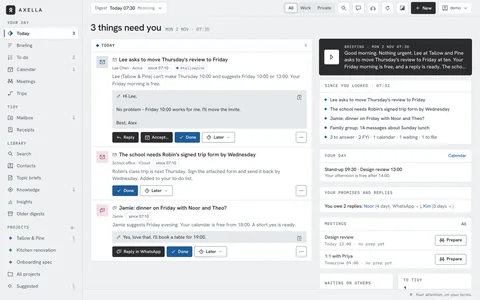
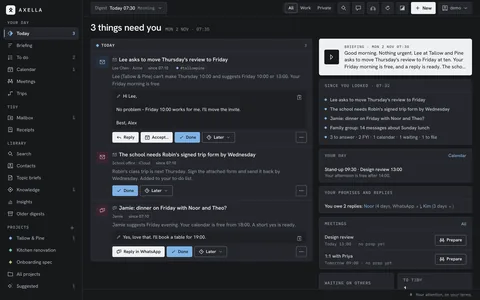
The morning digest. “Good morning. Nothing urgent.” Lee asks to move Thursday’s review to Friday, and the reply is drafted. Robin’s trip form is due Wednesday, and one quiet line says you owe Noor and Kim a reply. -
07:50
On the train
You listen to the digest with the phone in your pocket. Jamie suggests dinner on Friday – the WhatsApp reply is ready, you approve it, and WhatsApp opens with the text.
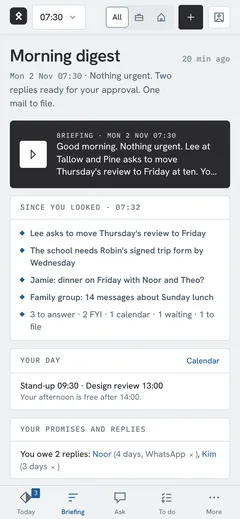
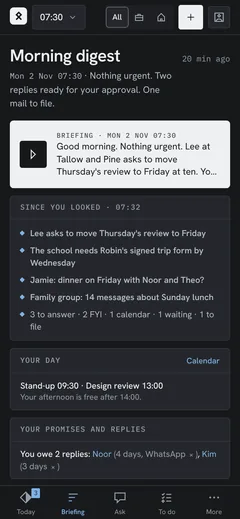
On the train. You listen to the digest with the phone in your pocket. Jamie suggests dinner on Friday – the WhatsApp reply is ready, you approve it, and WhatsApp opens with the text. -
11:30
Something urgent
Priya needs the roadmap slides by 13:00 for the board. It’s urgent, so it comes first – and between digests, the urgent check every 15 minutes would have sent it to your phone on its own.
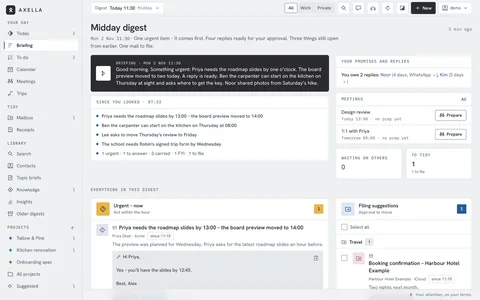
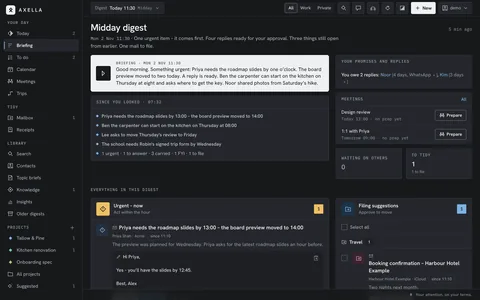
Something urgent. Priya needs the roadmap slides by 13:00 for the board. It’s urgent, so it comes first – and between digests, the urgent check every 15 minutes would have sent it to your phone on its own. -
15:30
A reply, sent tomorrow
Dana asks you to review the onboarding spec. The reply is drafted – “I’ll read it first thing tomorrow” – you check To and Cc, let the assistant polish it, and schedule it for 08:00 tomorrow. Axella notes the promise.
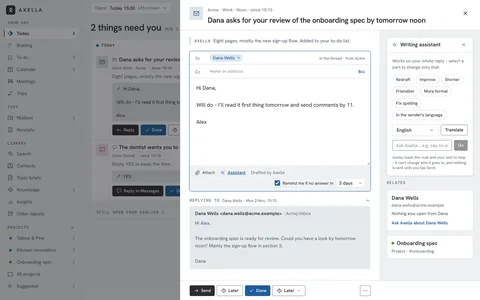
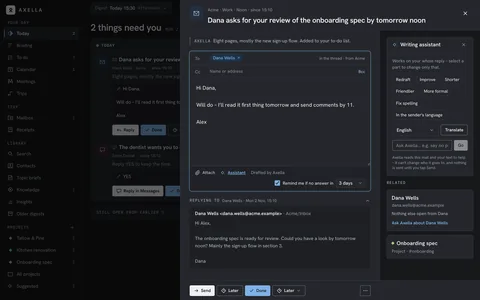
A reply, sent tomorrow. Dana asks you to review the onboarding spec. The reply is drafted – “I’ll read it first thing tomorrow” – you check To and Cc, let the assistant polish it, and schedule it for 08:00 tomorrow. Axella notes the promise. -
15:40
Tidy as you go
The energy invoice goes to Bills and to your finance platform’s receipt inbox. Filing suggestions wait with a tick box each, and newsletters are a tap from gone.
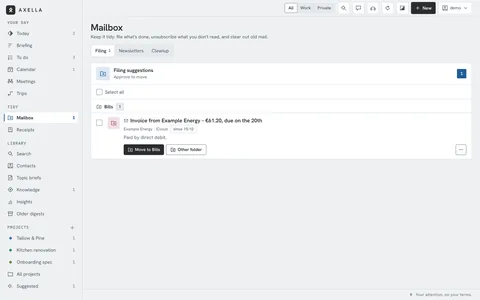
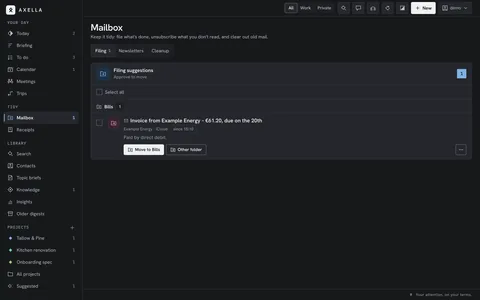
Tidy as you go. The energy invoice goes to Bills and to your finance platform’s receipt inbox. Filing suggestions wait with a tick box each, and newsletters are a tap from gone. -
20:00
The evening wrap
Noor asks about a hike on Saturday, and Theo’s team needs a goalkeeper on Thursday. Every item is marked work or private – one tap on Private, and the evening is only about home.
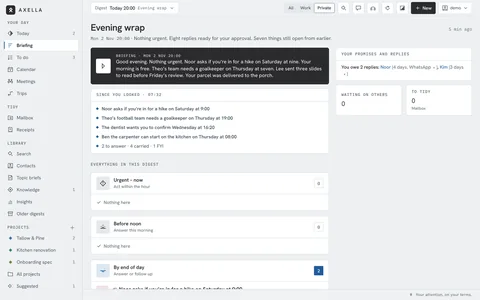
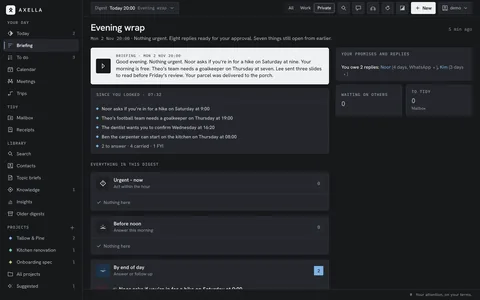
The evening wrap. Noor asks about a hike on Saturday, and Theo’s team needs a goalkeeper on Thursday. Every item is marked work or private – one tap on Private, and the evening is only about home.
A meeting
One meeting, start to finish
Friday’s review with Tallow & Pine – from the first mail to the follow-up.
-
Tue 07:30
What you promised
Yesterday you promised Dana comments by 11 and Theo the ball. Both wait as one-tap tasks with the date filled in, and Sam still hasn’t answered you.
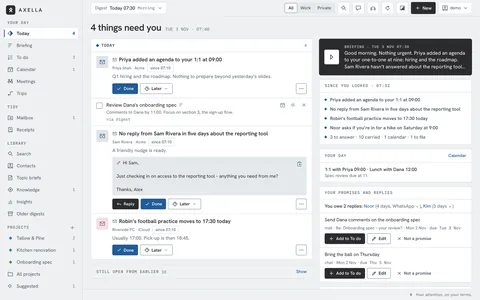
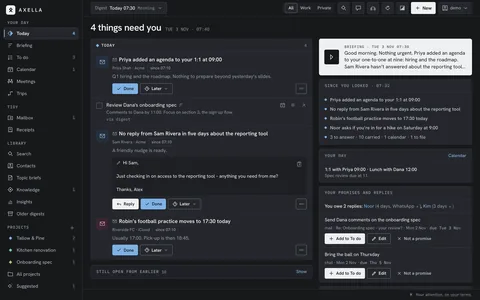
What you promised. Yesterday you promised Dana comments by 11 and Theo the ball. Both wait as one-tap tasks with the date filled in, and Sam still hasn’t answered you. -
Tue 08:50
Preparing Friday
You start a prep for the review from the calendar. Goals, points and Lee’s slides sit together in the Tallow & Pine project, and you choose what Claude may read for this workplace.
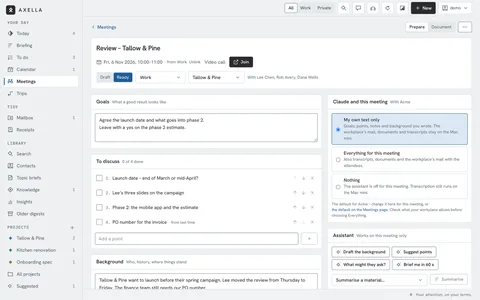
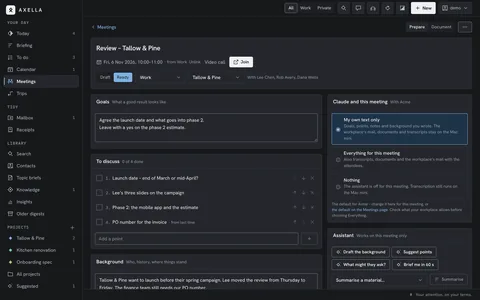
Preparing Friday. You start a prep for the review from the calendar. Goals, points and Lee’s slides sit together in the Tallow & Pine project, and you choose what Claude may read for this workplace. -
Tue 11:30
An invitation
Priya invites you to Q1 planning on Monday. You accept from the mail and put it in the work calendar – and Dana’s lunch moves to 12:30 with a one-line yes.
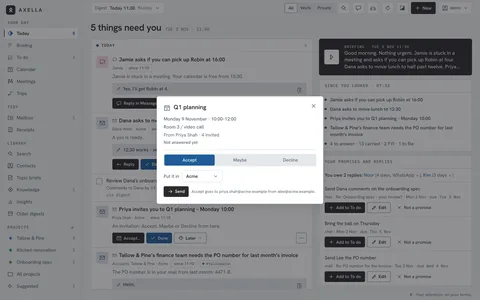
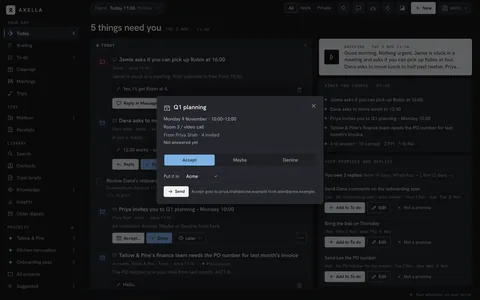
An invitation. Priya invites you to Q1 planning on Monday. You accept from the mail and put it in the work calendar – and Dana’s lunch moves to 12:30 with a one-line yes. -
Thu 16:00
Brief me in 60 seconds
The day before, the prep shows the people’s recent mail, the open tasks and what is still open from the kick-off. One tap reads you a short brief.
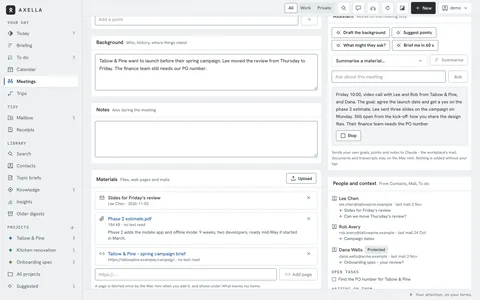
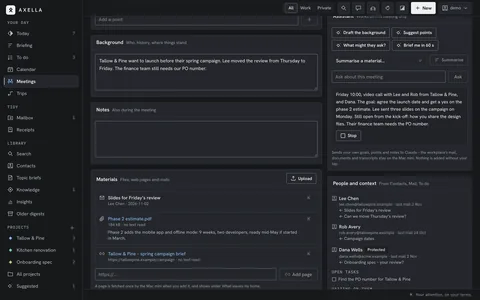
Brief me in 60 seconds. The day before, the prep shows the people’s recent mail, the open tasks and what is still open from the kick-off. One tap reads you a short brief. -
Fri 11:05
After the meeting
You add the recording, and it’s transcribed on the Mac mini. Axella lists the decisions, your tasks and what you wait for, and drafts the follow-up mail.
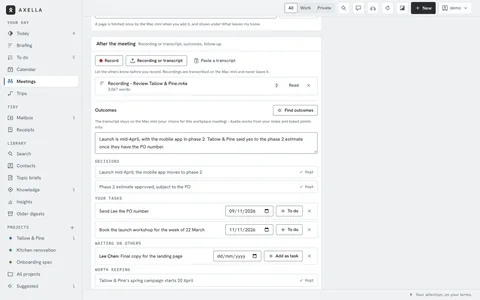
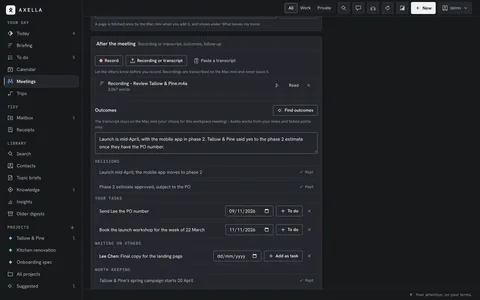
After the meeting. You add the recording, and it’s transcribed on the Mac mini. Axella lists the decisions, your tasks and what you wait for, and drafts the follow-up mail. -
Fri 15:30
A new mail
Lee sends the minutes. You start a new mail to Rob about the launch workshop: write it yourself, or say who, what and the tone, and Axella drafts it from your earlier mail with him.
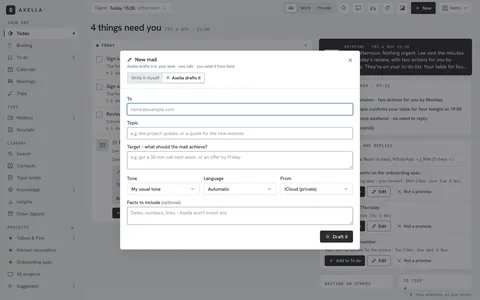
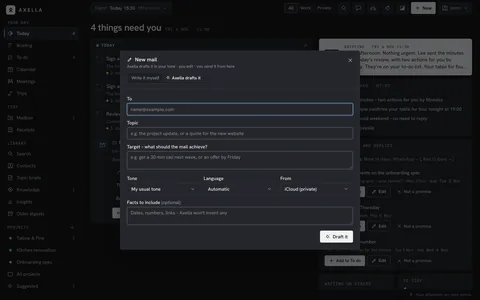
A new mail. Lee sends the minutes. You start a new mail to Rob about the launch workshop: write it yourself, or say who, what and the tone, and Axella drafts it from your earlier mail with him.
The weekend
A Saturday and a Sunday
The private side gets its own calm moments.
-
Sat 09:00
The weekend digest
Ben’s new kitchen tap is leaking – that one is urgent. Mrs. Holm asks you to water her plants, and one line says it’s Kim’s birthday.
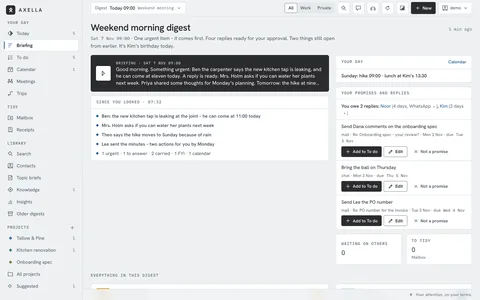
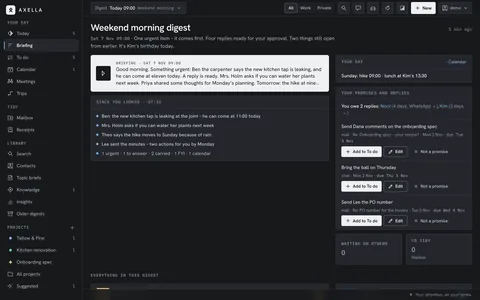
The weekend digest. Ben’s new kitchen tap is leaking – that one is urgent. Mrs. Holm asks you to water her plants, and one line says it’s Kim’s birthday. -
Sat 09:10
A brief for the weekend
Your topic brief on what’s on this weekend: a few items with sources, read aloud while the coffee brews. Only the searches left your home.
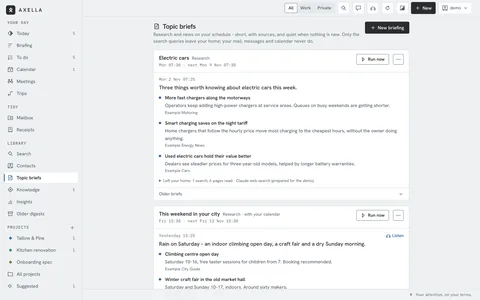
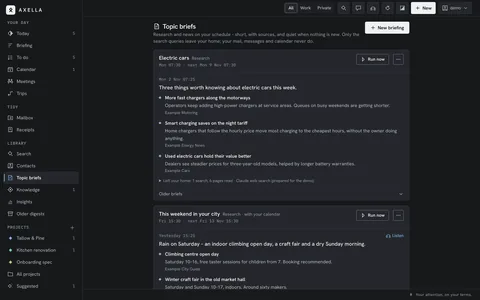
A brief for the weekend. Your topic brief on what’s on this weekend: a few items with sources, read aloud while the coffee brews. Only the searches left your home. -
Sat 10:30
A quick question
“When did Ben start, and what did the worktop cost?” Axella answers from your messages and receipts, and shows where it found it.
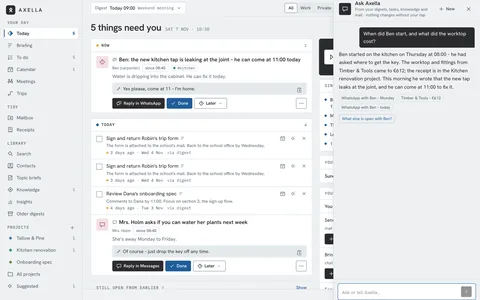
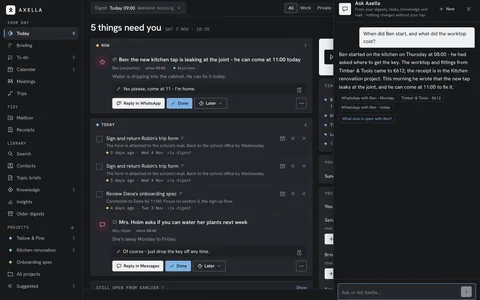
A quick question. “When did Ben start, and what did the worktop cost?” Axella answers from your messages and receipts, and shows where it found it. -
Sun 19:00
A trip appears
The train tickets and the hotel for Aarhus came in separate mails. Axella suggests them as one trip, day by day, return train included – you confirm it.
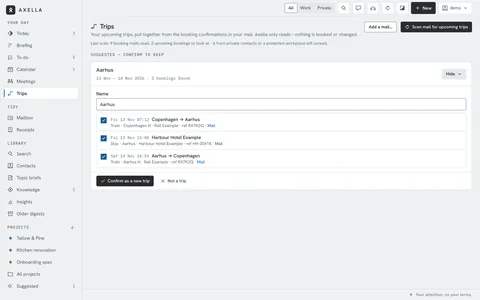
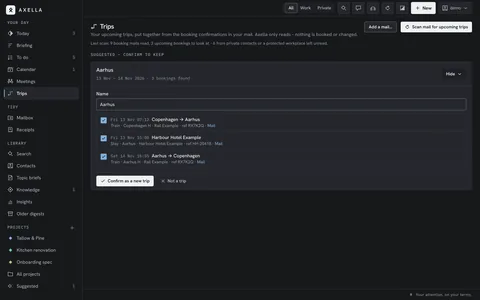
A trip appears. The train tickets and the hotel for Aarhus came in separate mails. Axella suggests them as one trip, day by day, return train included – you confirm it. -
Sun 19:10
The week in numbers
Insights shows who and what took your attention this week – Priya, Lee and the Tallow & Pine review. From the second week on, it shows whether it’s going up or down.
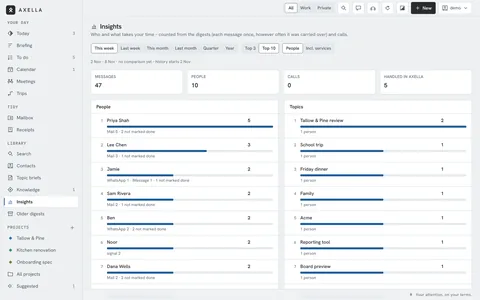
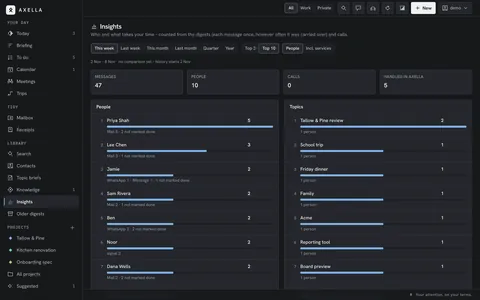
The week in numbers. Insights shows who and what took your attention this week – Priya, Lee and the Tallow & Pine review. From the second week on, it shows whether it’s going up or down.
Away and any time
A week off – and any time you want to check
Away means away, with a safety net. And you can always see what Axella did.
-
Before you go
Out of office
Away texts per mailbox, inside and outside your workplace, a reminder the evening before – and the call agent switches to its away greeting.
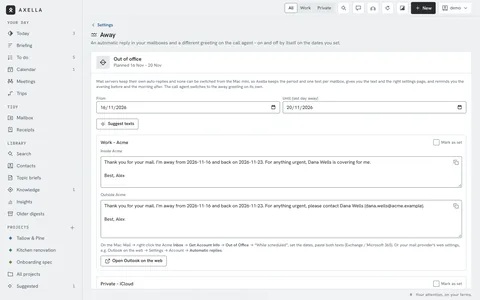
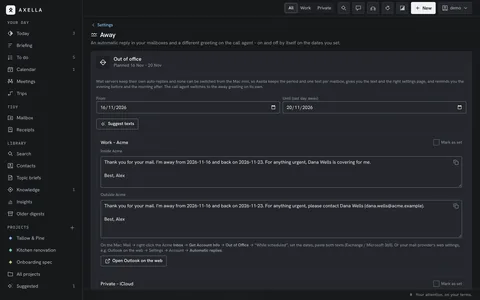
Out of office. Away texts per mailbox, inside and outside your workplace, a reminder the evening before – and the call agent switches to its away greeting. -
While you’re gone
Only what matters
Pause the digests and keep only the urgent check, or stop everything. Back home, run a sweep for one fresh digest.
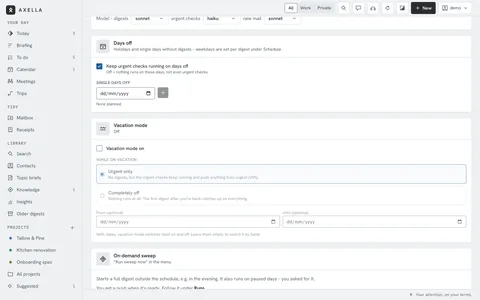
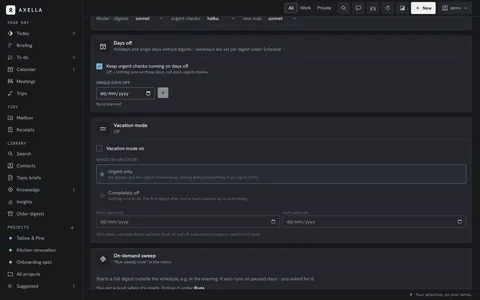
Only what matters. Pause the digests and keep only the urgent check, or stop everything. Back home, run a sweep for one fresh digest. -
Any time
What your drafts may use
Standard answers and facts your drafts can use, like the hours for client calls. Axella suggests new ones from your sent mail; nothing is used until you approve it.
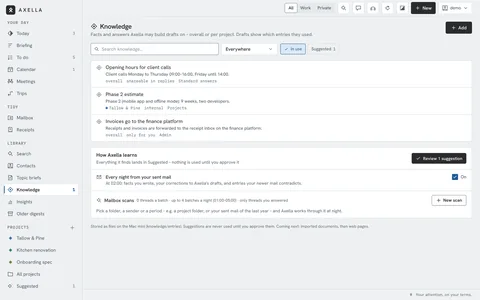
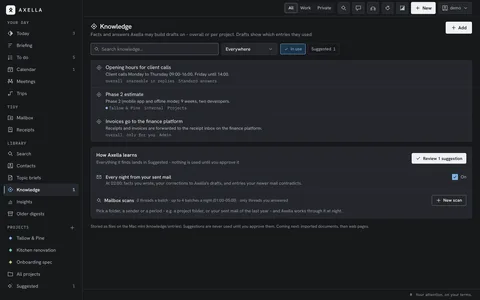
What your drafts may use. Standard answers and facts your drafts can use, like the hours for client calls. Axella suggests new ones from your sent mail; nothing is used until you approve it. -
Any time
What did Axella do?
Every mail sent, event changed and contact edited, in one list. Deleted a contact by mistake? Restore it for 90 days.
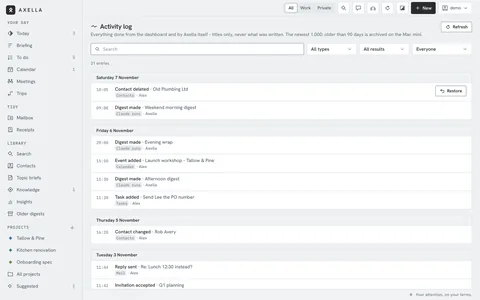
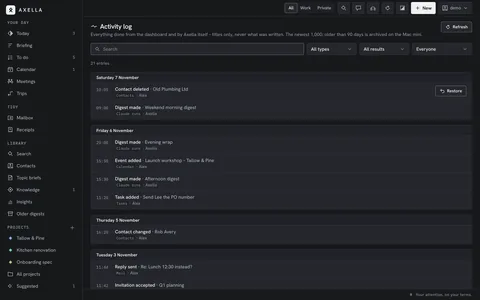
What did Axella do?. Every mail sent, event changed and contact edited, in one list. Deleted a contact by mistake? Restore it for 90 days. -
Any time
Is everything running?
Every part on the Mac mini at a glance. After a power cut Axella starts again by itself – or tells you it needs your login.
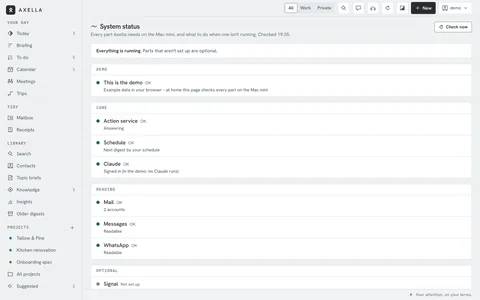
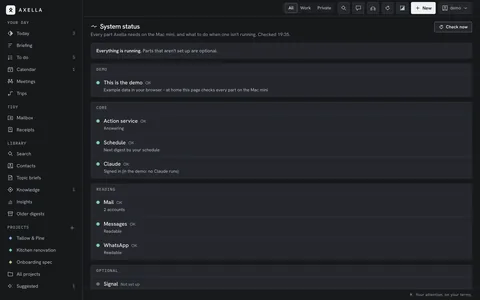
Is everything running?. Every part on the Mac mini at a glance. After a power cut Axella starts again by itself – or tells you it needs your login. -
Any time
What left my home?
One page lists every outside call: Claude runs, brief searches, the call agent and mails sent. Above it, your private contacts: only that they wrote, never what. Something wrong? ⌘B reports it, and you see the report before it leaves.
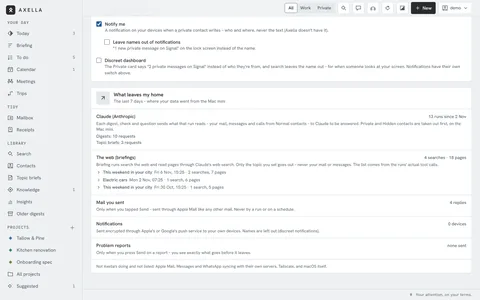
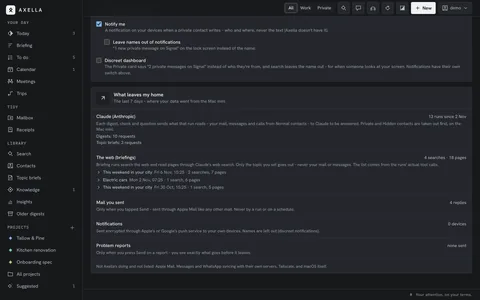
What left my home?. One page lists every outside call: Claude runs, brief searches, the call agent and mails sent. Above it, your private contacts: only that they wrote, never what. Something wrong? ⌘B reports it, and you see the report before it leaves.
All 40 features
Each one links to where it shows up in the days above.